More Room to Build: Free Guest Printing and Expanded Quotas for Simmer Plans
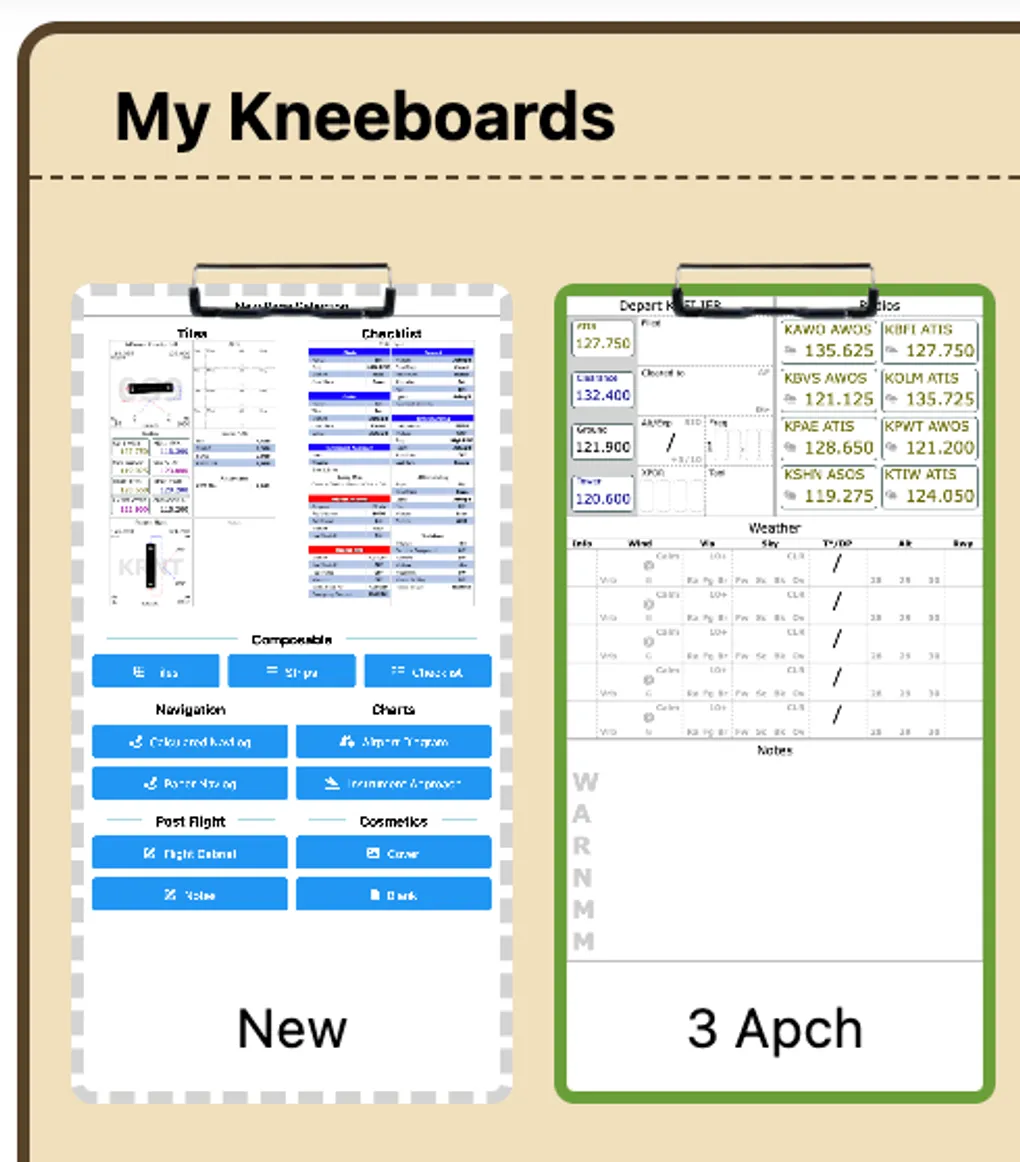
Today’s update (v6.39.0) expands content creation for pilots evaluating GA Kneeboard. We have removed the initial sign-in requirement for your first print and significantly raised the template, page, and print quotas on the free Flight Simmer tier.
The goal is straightforward: allow you to build, customize, and physically test your kneeboard in the cockpit before deciding on a plan.
1. One Free Print for Guest Users
Previously, new pilots could assemble kneeboards and customize tiles freely in their browser, but hitting “Print” triggered a mandatory sign-in prompt.
That barrier is now gone:
- Zero-Friction First Print: You can configure a complete kneeboard layout and print one physical copy directly from your browser without creating an account or logging in.
- Cockpit Ergonomics First: You should be able to hold your physical kneeboard, inspect the font sizing under cockpit lighting, test margin alignment on your knee clip, and verify your legibility before deciding to sign up.
- Seamless Local Storage: Any edits made during your guest session remain stored in local browser memory. When you do choose to create an account later, your custom tiles and layouts are retained.
2. Expanded Quotas for the Flight Simmer Tier
GA Kneeboard uses a quota-based freemium model rather than a ticking time trial. Flight training schedules are unpredictable, and a 7-day or 14-day trial frequently expires before a student pilot or weekend flyer gets an opening in the weather to fly.
To give pilots enough room to test realistic workflows, we have increased the quotas across the free Flight Simmer tier:
| Quota / Feature | Previous Limit | New Limit | Operational Benefit |
|---|---|---|---|
| Saved Templates | 1 template | 2 templates | Maintain distinct VFR cross-country and IFR training layouts side-by-side. |
| Pages per Template | 2 pages | 4 pages | Build complete multi-page packets (briefing, navlog, airport sketches, and checklists) or load full demo templates. |
| Print Credits | 4 / month | 6 / month | Provides enough print capacity for two to three multi-leg cross-country flights every month. |
| Live METARs | Locked | Unlocked | View current weather reports directly on your airport and IFR departure tiles. |
3. Live METARs Now Unlocked on Free Accounts
Weather awareness is a baseline safety requirement during pre-flight planning.
Starting in this release, live METAR reporting is enabled on the free Flight Simmer tier. Airport and IFR departure tiles now fetch and display up-to-date METAR observations and flight category indicators directly within your kneeboard layout.
4. Clear Separation for Advanced In-Flight Tools
With the free tier expanded for daily flight prep, paid subscriptions (Student Pilot and Private Pilot) remain focused on advanced features designed to reduce pilot workload:
- Live NOTAM Alerts: Real-time visibility into active TFRs, runway closures, and obstacle alerts directly on airport tiles.
- Vector PDF Export: Export high-resolution PDFs formatted specifically for offline use or direct import into your primary EFB (such as ForeFlight).
- Version History: One-click version rollback to restore earlier layouts after drafting experimental tile setups.
- Advanced Print Layouts: Support for back-to-back printing, margin adjustments, and dedicated notes sidebar columns.
To better reflect these changes, we have updated our plan descriptions:
- Flight Simmer: Try It Free — Build your first kneeboard.
- Student Pilot ($4.99/mo): No Commitment — Print-ready kneeboards for every flight.
- Private Pilot ($49.99/yr): All-In — Unlimited kneeboards, prints, and cockpit tools.
These updates are live today at kneeboard.ga. If you have feedback on the new limits or guest workflow, let us know at support@aviatesoftware.aero.