Straight-In Update: Multi-Airport METAR Switching, Manual Refresh, and Toolbar Shortcuts
This update introduces multi-airport METAR switching within the weather details view, direct manual weather reloads, and a dedicated weather tool shortcut in the Flight Mode toolbar.
Multi-Airport Weather Switching
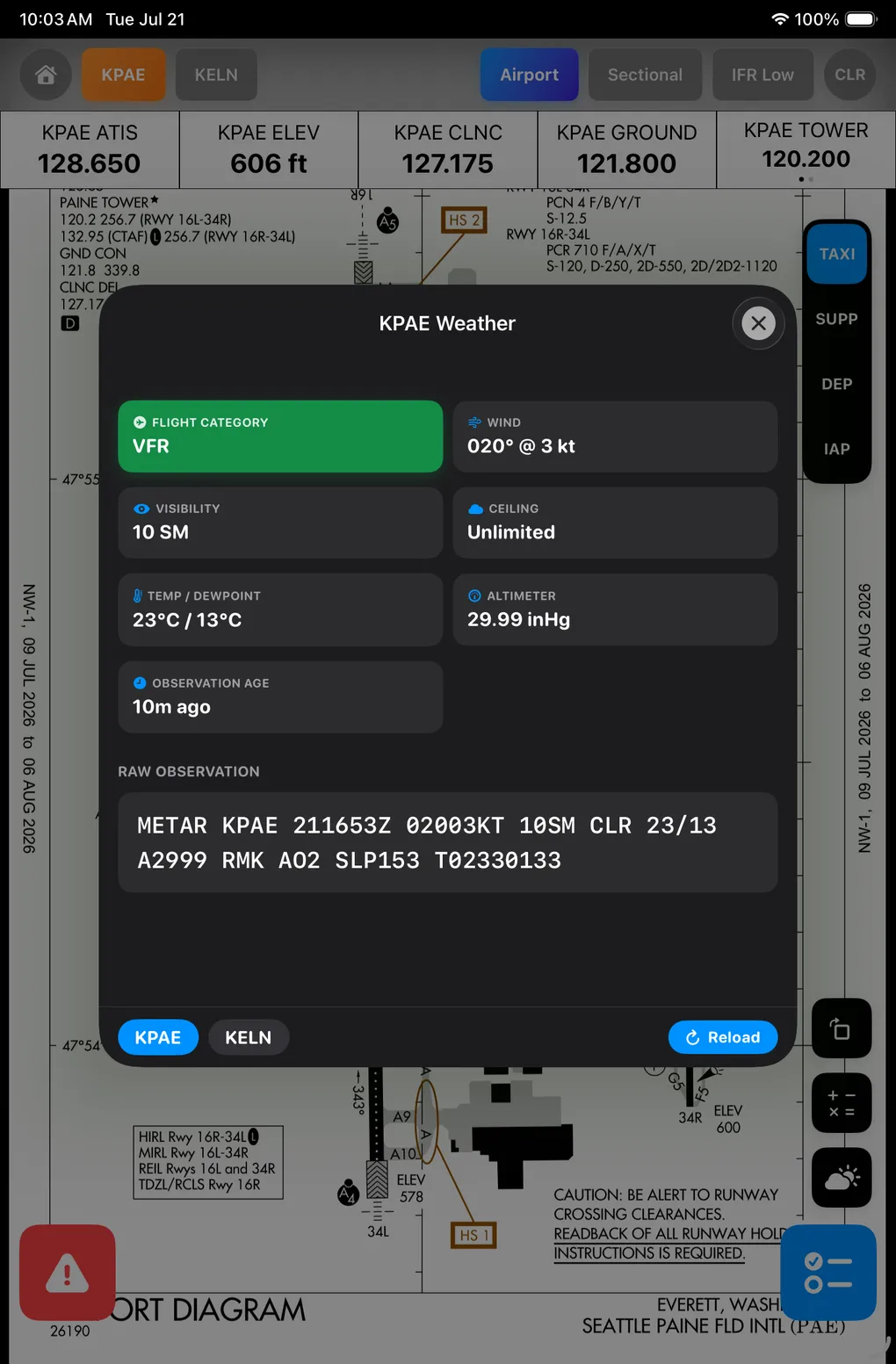
- Route & Focus Airport Bar: Added a horizontal airport selector bar at the bottom of the METAR details view, displaying relevant airports along your planned route.
- Dynamic Context Updates: Tapping an airport pill dynamically updates the flight category, wind, visibility, ceiling, altimeter, and raw METAR observation without leaving the modal.
- Cockpit Benefit: Enables rapid weather inspection across departure, en-route alternates, and destination airports with a single tap.
On-Demand Weather Refresh & Loading States
- Manual Reload Action: Added a dedicated refresh action button to trigger live METAR updates on demand.
- Loading Feedback: Integrated visual progress indicators while fetching observation data, keeping pilots informed during network requests.
- Cockpit Benefit: Ensures pilots can verify they hold the most recent weather observation before starting an approach phase.
Flight Mode Weather Toolbar Shortcut
- Optional Tools Integration: Added a weather tool button to the Flight Mode
OptionalToolsoverlay dock. - Automated Data Fetching: Toggling the weather tool automatically loads METAR information for the primary airport of interest.
- Cockpit Benefit: Provides one-tap access to weather reports directly from the main navigation interface without navigating through sub-menus.
