New Feature Updates: Climb Calculator, PDF Rotation, and Live Departures
We have recently deployed several updates to GA Kneeboard, introducing new capabilities and resolving a few usability issues to improve your pre-flight and in-flight experience.
New Features & Enhancements
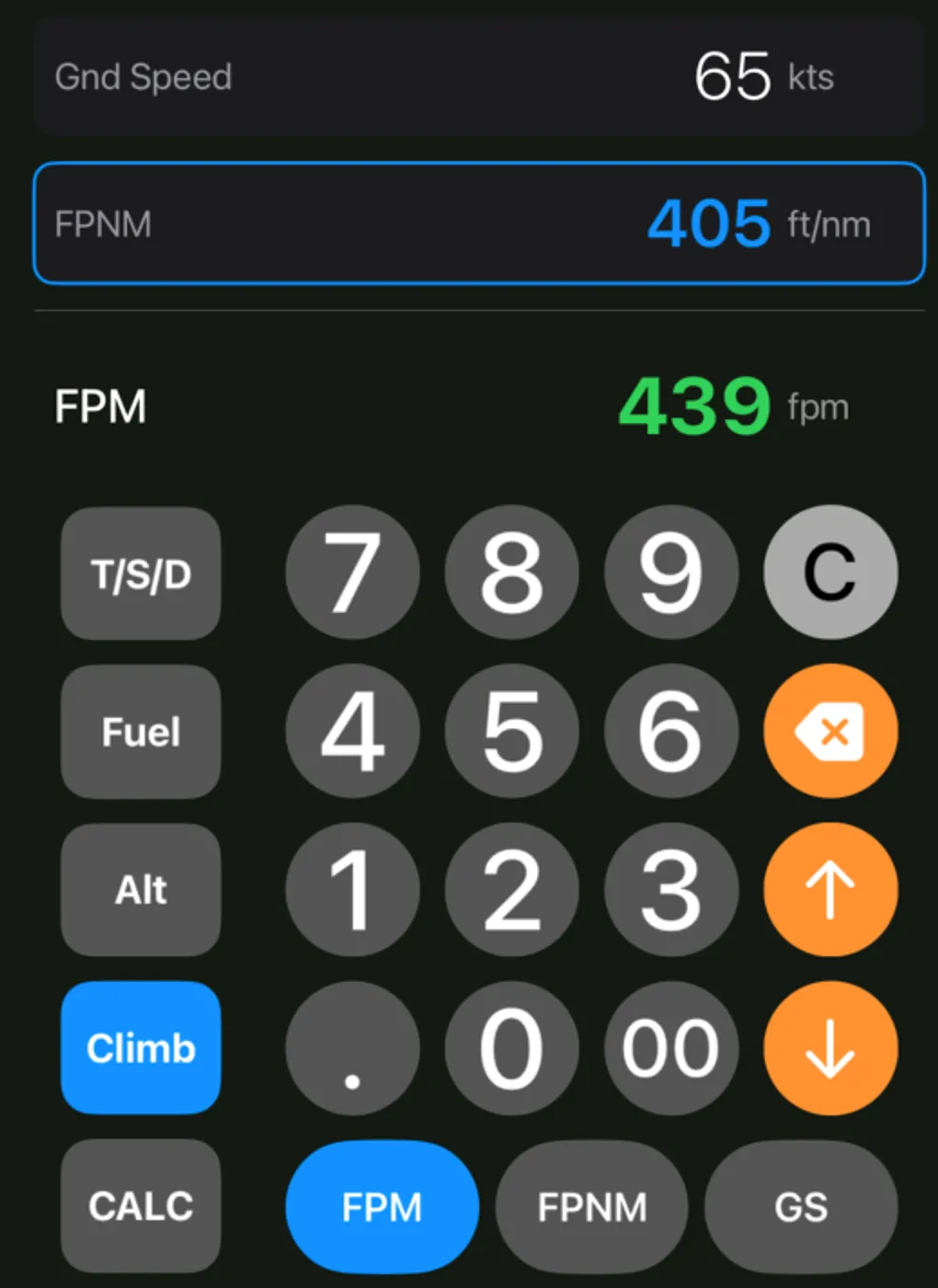
- Climb Mode Calculator: We have expanded the in-app aviation calculator tools with a new “Climb” mode. This joins the existing Alt, Fuel, and TSD modes, helping you quickly compute climb performance data directly in the app.
- Rotating Airport PDF Documents: You can now rotate PDF documents, such as approach plates and airport diagrams, making them much easier to view and reference in the cockpit.
- Dynamic Airports of Interest: The UI for “Airports of Interest” now dynamically sorts to match the sequence of your active flight plan. We also added a clear orange accent color to highlight the currently active airport.
- Network Setup Improvements: The Location Sources sheet now displays your device’s current IPv4 address right above the UDP port field. It is selectable and copyable, simplifying network setup for flight simulator connections.
Bug Fixes
- Splash Screen Login Block: We fixed a visual bug where the aircraft graphic on the splash screen had an incorrect z-index, covering the authentication form and blocking user logins.
- Persistent Email State: The login and authentication flow has been updated so the app now persists your email state, saving you time during returning sessions.
- KTIW Airport Diagram: We resolved an issue that prevented the Tacoma Narrows (KTIW) airport diagram from generating and displaying properly.
