Introducing Built-In Aviation Calculators, Downloaded Flight Bag Storage, and Settings Consolidation
In our latest product update for Flow, we have added dedicated aviation calculator tools, improved storage visualization for downloaded flight assets, and reorganized our settings sheets for a cleaner, more intuitive user interface.
Here is a summary of the new features and layout refinements designed to streamline cockpit operations.
1. Built-In Aviation Calculators
Pilots can now access a suite of essential calculation tools directly from the active flight view under the optional tools panel.
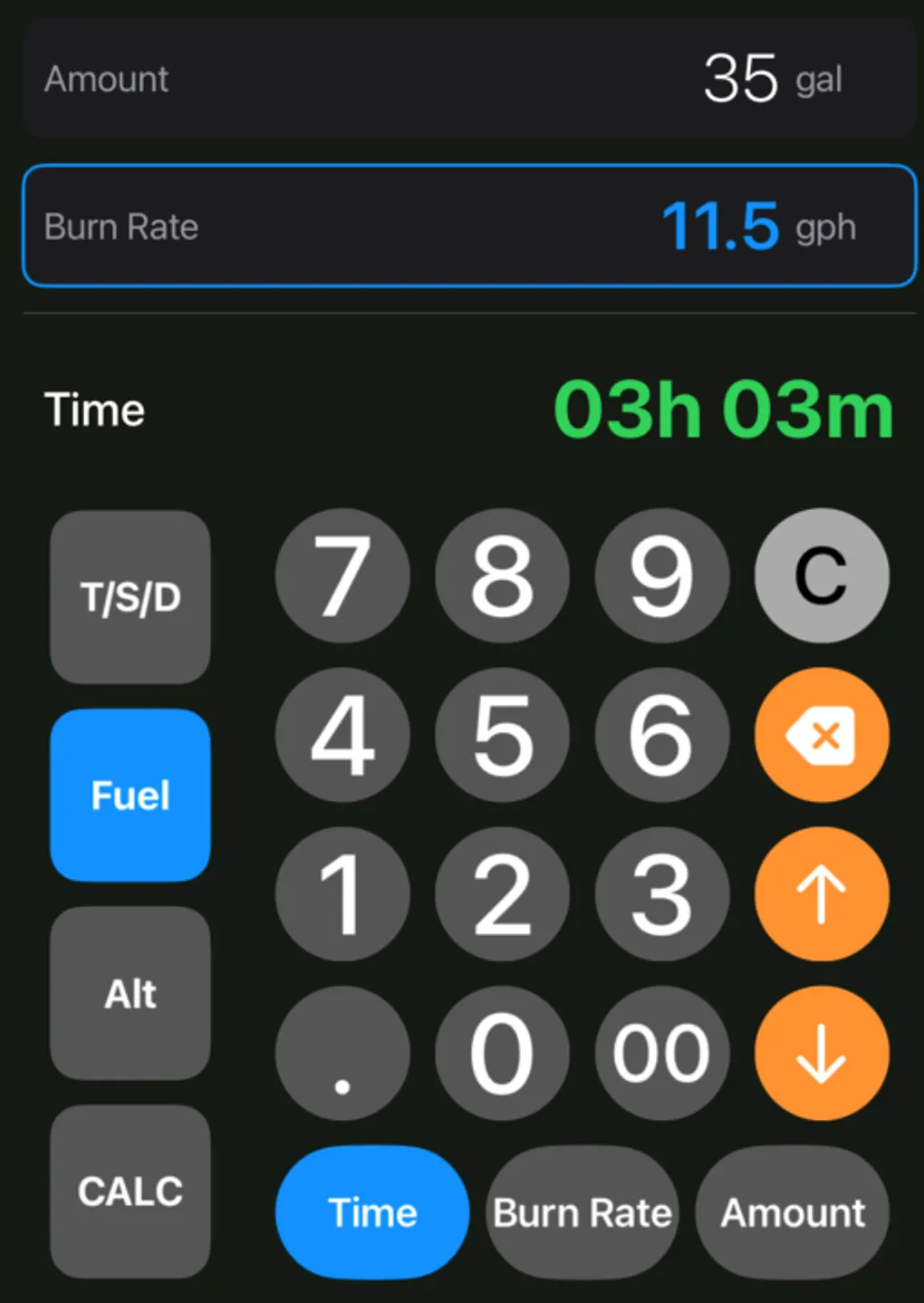
The calculator features three dedicated modes:
- Altitude (Alt): Consolidates Pressure Altitude (PA) and Density Altitude (DA) calculations into a single view.
- Time-Speed-Distance (TSD): Solves time, speed, or distance equations based on user input.
- Fuel: Computes fuel duration and burn rate.
The interface is tailored for cockpit use:
- Specialized Keypad: Supports decimal inputs, a double-zero (
00) key for quick altitude or pressure entry, and an hour-based duration input key for time fields. - Transition Animations: Clean transition animations when shifting between calculator modes.
- Refined Spacing: Improved touch target sizes and padding around layout controls (including the close button) for easier interaction in turbulence.
2. Downloaded Flight Bag & Multi-Chart Support
Managing offline chart databases is now more transparent. We have renamed “Cached Assets” to Downloaded Flight Bag throughout the settings view and added the following updates:
- Total Size Display: The detail sheet now calculates and displays the total storage size of all cached assets (charts, diagrams, and procedures).
- Concurrent Multi-Chart Downloads: The download manager supports downloading multiple sectional charts concurrently. The download card now displays a dynamic count of the charts remaining to sync.
3. Consolidated Location and Flight Rules Settings
To clean up the main Settings panel, location sources and flight rules have been consolidated into dedicated configuration sheets:
- Centralized Location Sources: The new Location Sources sheet combines GPS, ADSB (Sentry/GDL90), and Flight Simulator settings into a single place. It displays real-time connection status (such as “Receiving Data” or “Waiting for Data”) for each source.
- Flight Rules Configuration: A new Flight Rules sheet includes an IFR toggle and option to set IFR as the default rule for new flights.
- Layout Adjustments: The settings footer and back button have been relocated to a horizontal layout at the bottom of the screen, creating a more cohesive configuration experience.
4. Auto-Saved User Profiles
User profile settings are now parsed directly during the authentication phase to eliminate redundant network requests. In the profile dialog, updates to your name or home airport are saved automatically.
