New Feature: Instant V-Speeds & Weights for Checklists
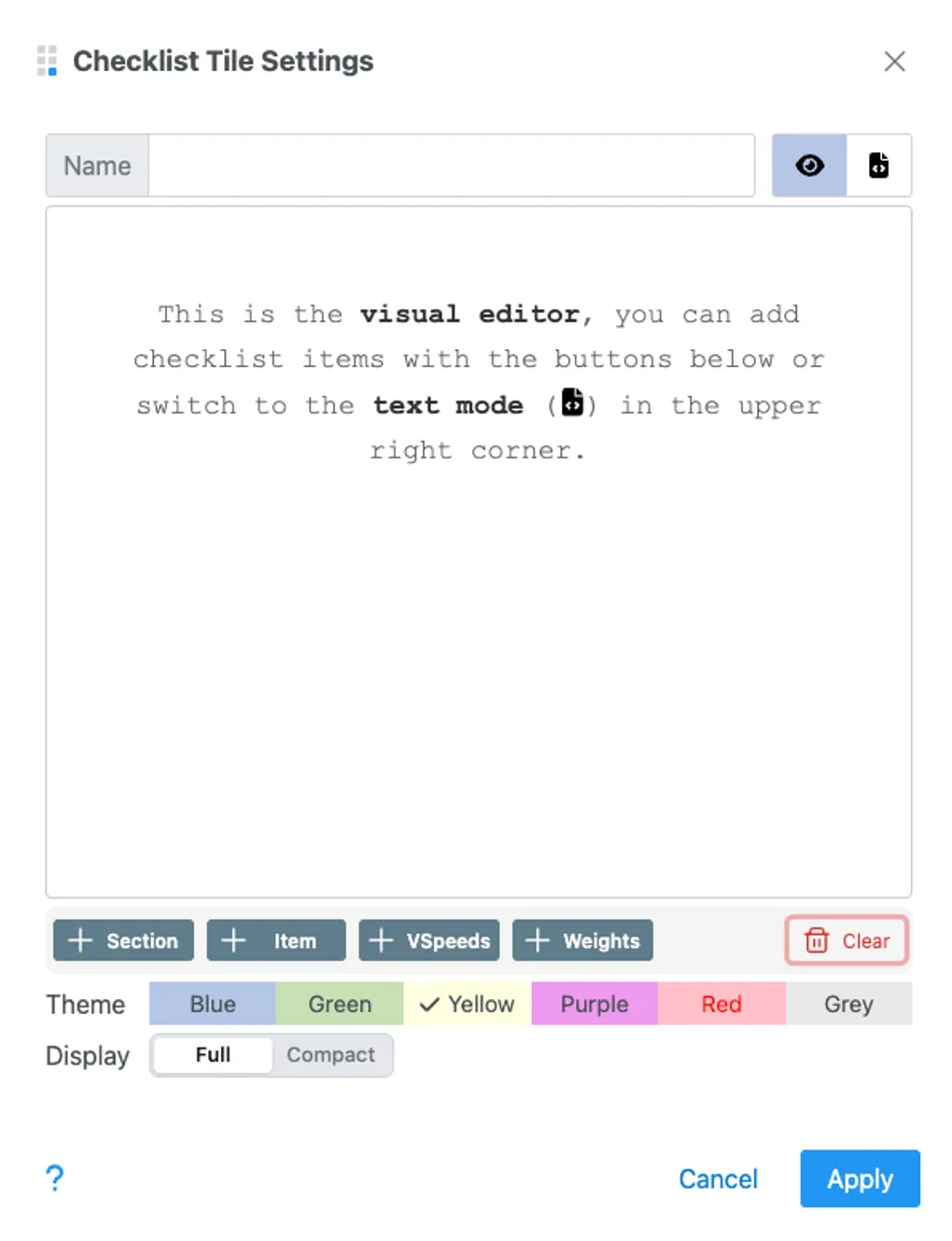
We’ve updated GA Kneeboard to make your pre-flight preparation more efficient. The new +VSpeeds and +Weights buttons allow you to instantly add critical aircraft data to your checklists.
Streamlined Checklist Creation
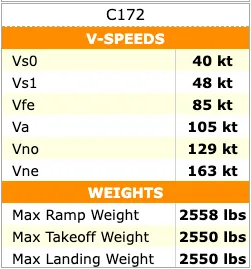
The +VSpeeds button in the checklist editor automatically populates Vs0, Vs1, and Vne based on your aircraft data.
- Single Aircraft: One click adds your speeds as a formatted section.
- Multiple Aircraft: Choose from your hangar using a selection dialog.
- Templates: Pull speeds directly from our aircraft template library.
Aircraft Weights at Your Fingertips
In addition to speeds, you can now also populate critical weight limits directly into your checklists. This includes Max Ramp Weight, Max Takeoff Weight, and Max Landing Weight, all pulled directly from your aircraft profile.
Instant Performance
We’ve also improved the app’s responsiveness by implementing a stale-while-revalidate caching system. Your aircraft and template lists now load instantly, eliminating waiting times and spinners.
Try the new +VSpeeds button in your dashboard →
