Precision Scratchpad: The Evolution of the Notes Tile
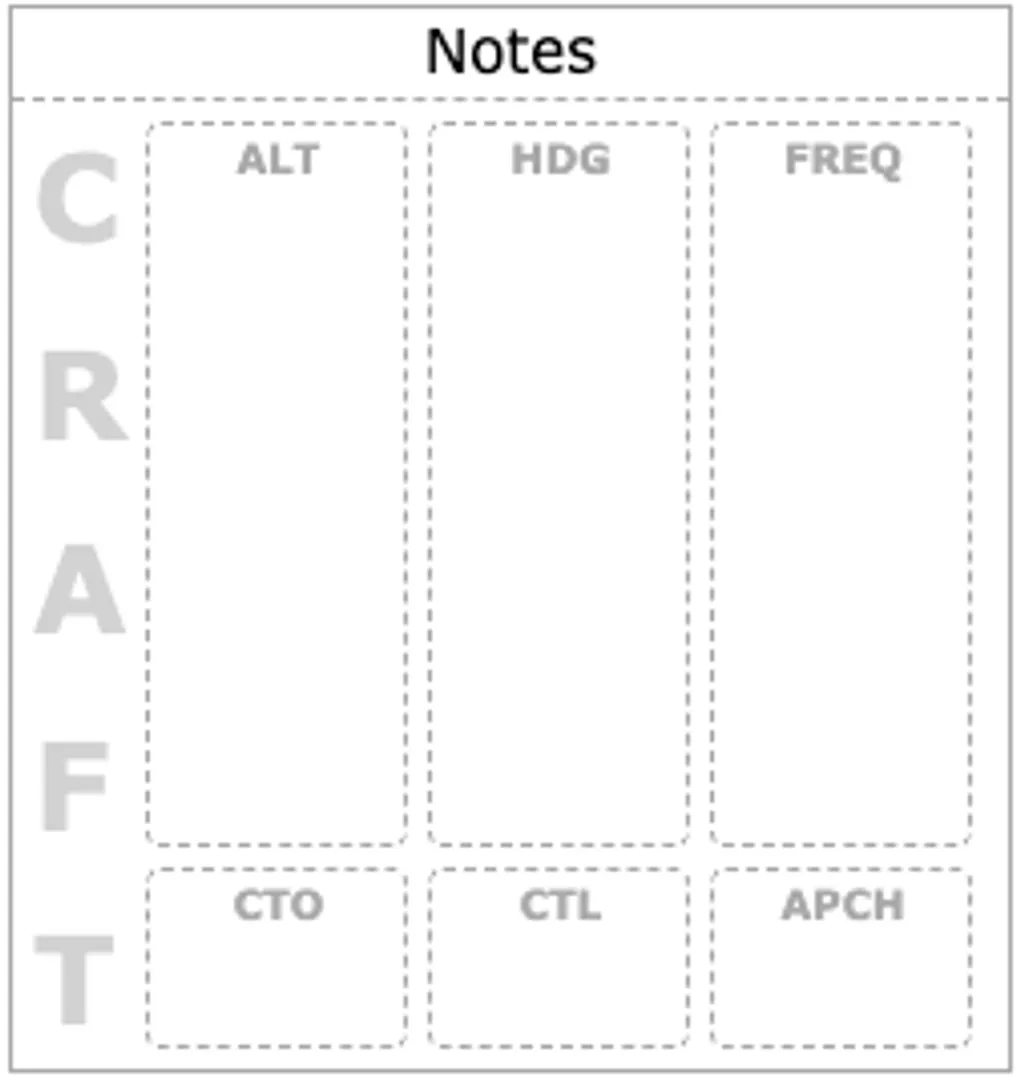
The Notes Tile has been refined to provide a more organized and intuitive scratchpad experience. These updates focus on flexibility and clarity during high-workload phases of flight.
New Display Modes
1. Watermark Mode
Watermark Mode is now a dedicated display option, separate from freeform notes. This provides a structured space for primary scratchpad elements:
- Banner: Stays visible as a primary word or code reference (e.g., ACRONYMS or CRAFT).
- Columns: Vertical sections for Altitudes, Headings, and Frequencies.
- Pills: Rapid-access status tags for flight phases like “Clear to Land” or “Approach.”
[!TIP] Use Watermark Mode to maintain structured placeholders without the clutter of a full grid.
2. Blank Mode
Blank Mode is now strictly empty. It provides a minimalist, distraction-free canvas for freeform notes and quick jots.
3. Hold Mode
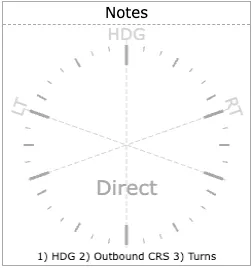
The holding pattern layout is now a first-class display mode.
- Compass Mode: Standard heading reference.
- Hold Mode: Optimized for visualizing and monitoring holding patterns.
Structural Improvements
The underlying grid has been rebuilt with a new 3-cell structure. This ensures that “Word” (Banner) content spans the full height of adjacent columns and pills, maintaining visual balance and professional alignment.
Polish and Performance
- Reactivity: Settings changes now propagate immediately to the dashboard for live verification.
- Migration: Existing Compass tiles configured for “Hold” patterns have been automatically migrated to the new Hold mode.
- Cleanup: Removed redundant debug logs and streamlined the configuration interface.
