Instant Visual Feedback: The New Tile Settings Experience
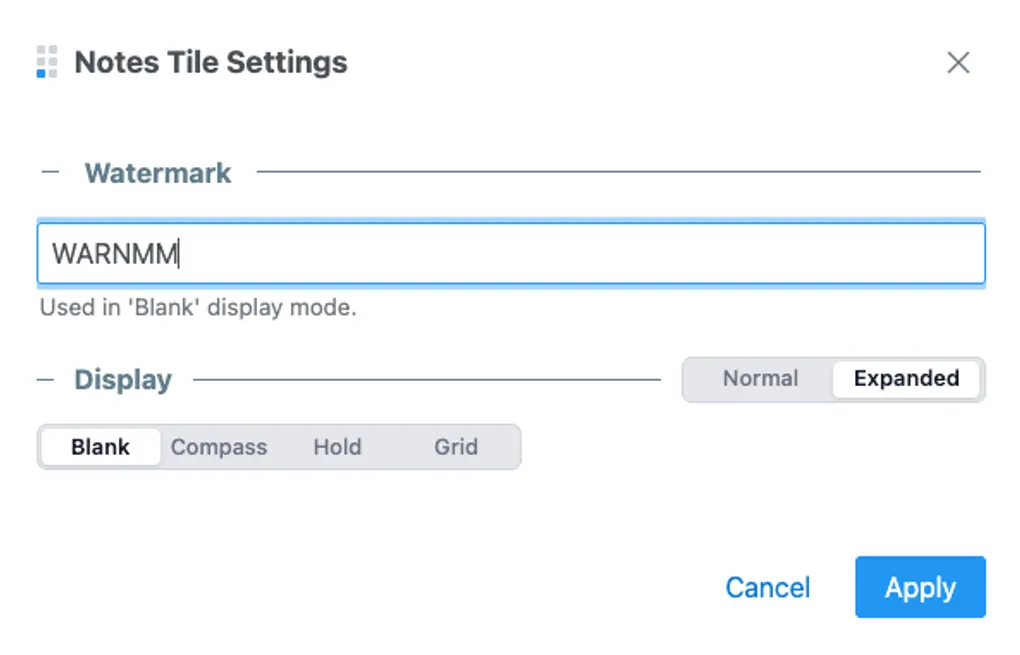
We’ve updated the Tile Settings behavior across GA Kneeboard to provide a live configuration experience.
Continuous Visual Feedback
You can now see configuration changes as they happen. As you adjust settings—such as switching an Airport tile to “Expanded” mode or toggling a Traffic Pattern entry—the tile updates in real-time behind the dialog.
This allows you to verify alignment, line counts, and data density immediately, reducing the time spent fine-tuning your layout.
Configuration Safety Net
If a configuration does not meet your needs, clicking the Cancel button restores the tile to its previous state. Changes are only committed to your template when you click Apply.
[!TIP] Use this to compare different display modes (e.g., “Expanded” vs “Normal”) without risk to your current setup.
Standardized Behavior
This “Live Preview” pattern is now standard across every tile type:
- Weather (ATIS): Preview line counts and watermark toggles.
- IFR/VFR: View frequency and airport selection updates.
- Notes: Adjust layout modes and “Hold” mode visually.
- Radio & Checklist: Verify theme and content selections.
Impact on Workflow
For pilots, the kneeboard must be organized for immediate use. By removing the friction between configuration and viewing, it is now faster to build a template for your next flight.
Happy flying!
