Fixed: Radio Tile Frequency Alignment
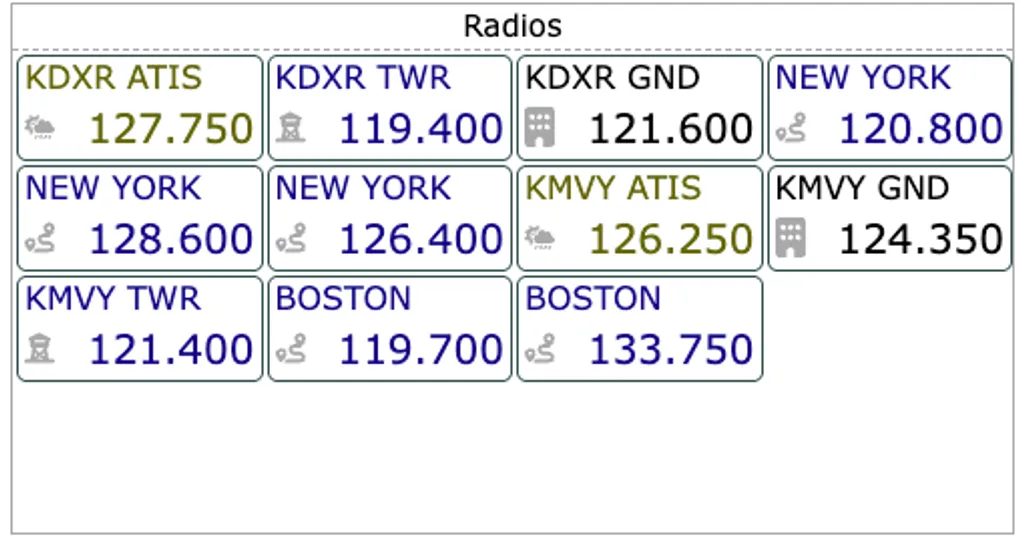
Bug Fix: Radio Tile Frequency Alignment
In our latest update, we addressed a subtle but frustrating UI issue in the expanded radio tile. Some users reported that frequency information was being truncated or improperly aligned, making it difficult to read at a glance in the cockpit.
The Issue
The root cause was a combination of inconsistent element sizing and grid column definitions that didn’t account for varying content lengths. This could result in text overflow or clipping, especially when multiple frequencies were displayed simultaneously.
The Fix
We’ve applied several refinements to the radio tile’s layout logic:
- Consistent Element Sizing: Implemented better sizing logic within the tile container to ensure padding and borders are included in total width calculations.
- Dynamic Grid Columns: Updated the CSS grid definitions to be more flexible, preventing overflow while maintaining a sharp, professional alignment.
- Refined Spacing: Adjusted the internal spacing to ensure all frequency content is correctly displayed within the tile, regardless of the text length.
These changes ensure that your most critical communication data is always clear and legible when you need it most.
Blue skies and tailwinds,
JC and the GA Kneeboard Team