Introducing Risk Mitigation Mode
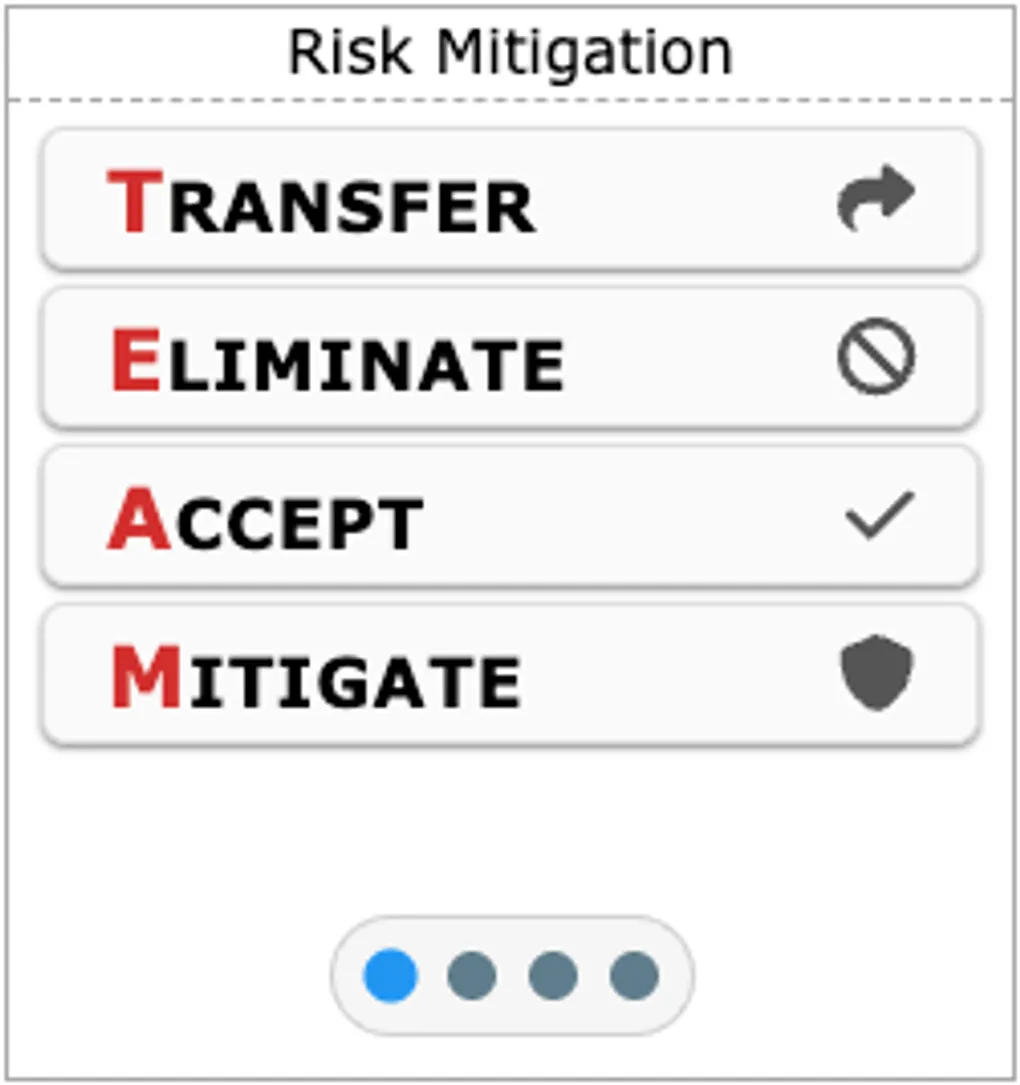
We are excited to announce GA Kneeboard version 6.10.6, featuring a highly requested update to our Emergency Tile: the new Risk Mitigation mode!
We’ve streamlined the Emergency Tile by replacing the separate VFR and IFR Lost Comms modes with powerful tools focused on actionable, high-level aeronautical decision-making. Alongside our newly renamed Risk Assessment mode (formerly Decide Procedure), this update brings the widely adopted TEAM framework directly to your fingertips. In addition, this release includes an improved Kneeboard thumbnail system, which provides a much better visual experience overall.
The TEAM Framework
When faced with unexpected hazards or changing flight conditions, having a structured approach to mitigating risk is crucial. The Risk Mitigation mode presents the TEAM acronym front and center:
- Transfer: Can the risk be transferred? (e.g., asking ATC for assistance, or flying with an instructor).
- Eliminate: Can the hazard be completely removed? (e.g., canceling the flight entirely or avoiding a specific maneuver).
- Accept: Is the remaining risk acceptable? Only accept risk when the benefits clearly outweigh the potential costs, and after all actionable mitigations checks.
- Mitigate: How can the risk be reduced? (e.g., carrying extra reserve fuel, delaying departure, or altering your route).
By integrating the TEAM checklist alongside the DECIDE model (Risk Assessment), our goal is to empower you with the industry-standard decision-making tools you learned during training—now instantly accessible on your digital kneeboard.
Whether you are evaluating a questionable forecast before departure or considering an un-forecasted headwind en route, we hope this new tool gives you added confidence and structured safety margins. Check it out on your GA Kneeboard today!
