Hello NavLogs (v826)
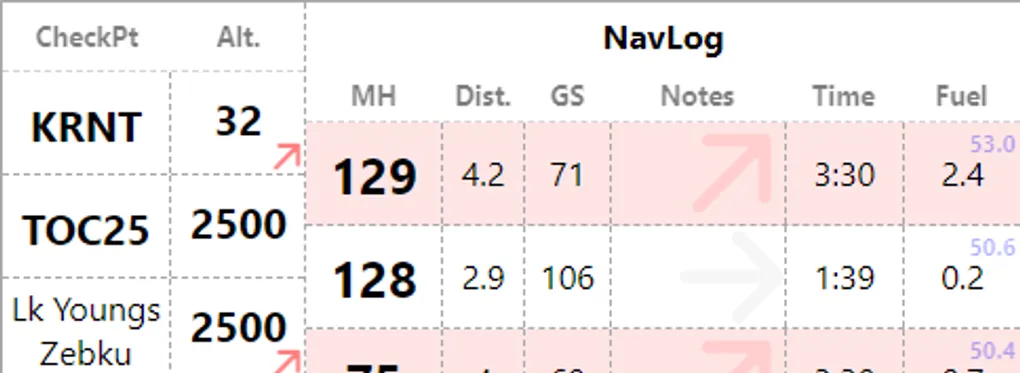
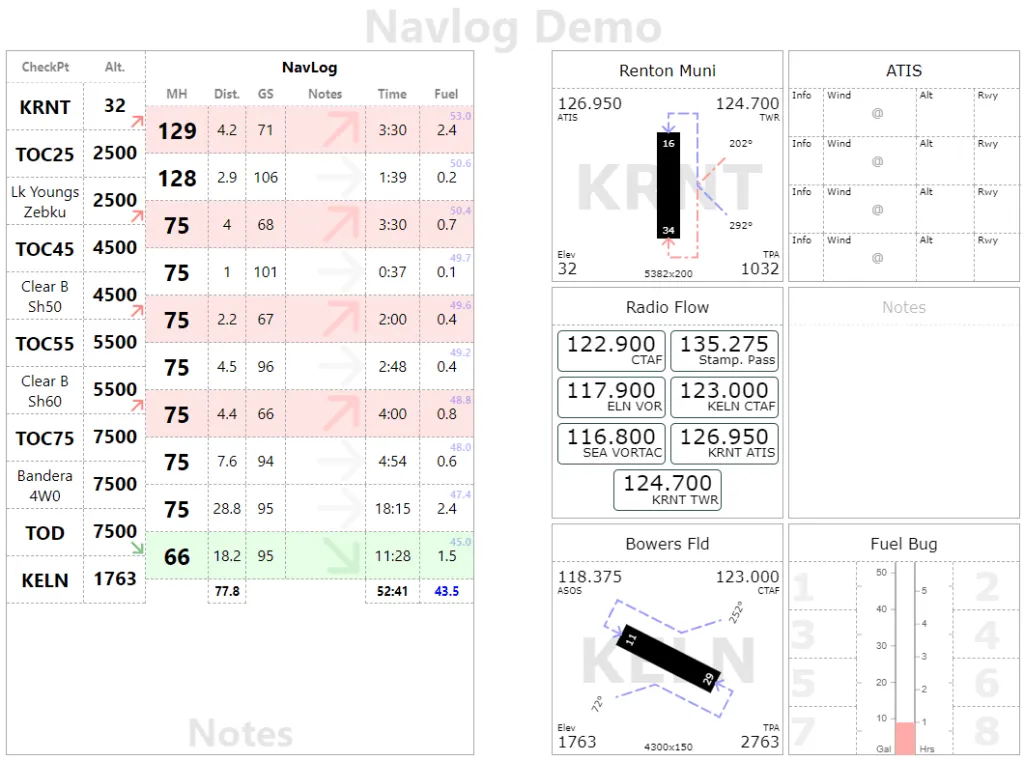
We now have a new page type for Navlogs available on Kneeboard. If you have been following the blog, you probably saw this coming. It should serve has a handy visual tracker for your navigation during long solo XC. In the display mode, Navlog shows usual/essential information such as checkpoints, altitude, magnetic heading, but it also shows a visual cue if the leg is a climb (red background) or a descent (green).
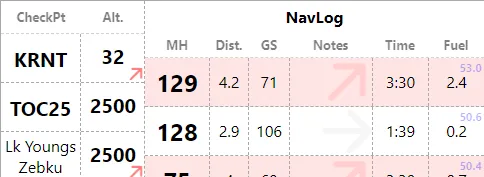
At this stage, this page is still a bit dumb as it is not able to perform heading calculations not include Magnetic Deviations (if you fly with a compass). Hence the focus on Magnetic Heading. Distance and Ground Speed are self explanatory. The Notes column is a free form text. Some folks write, time, fuel, speeds, whatever works for you. Time is leg time in minutes. The Fuel column shows how much fuel is being used for the leg (black) along with the remaining fuel (blue). So the upper right corner should show full tank, or whatever your initial fuel.
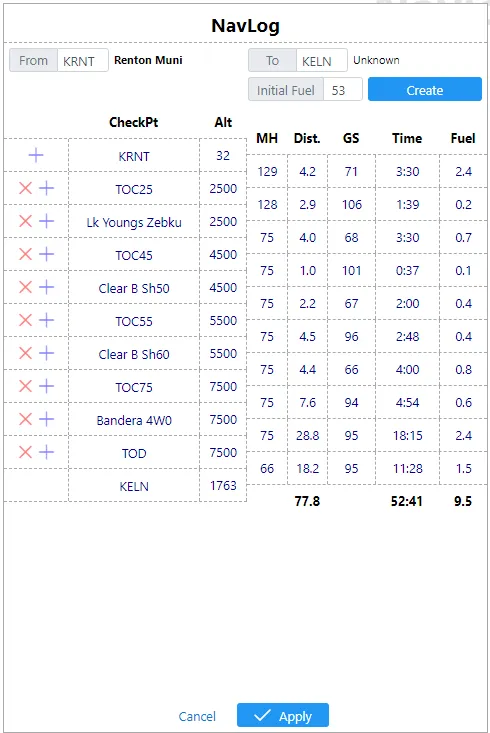
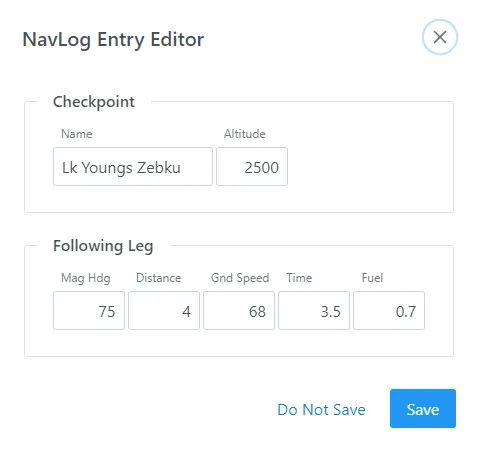
You can access editor mode as usual by clicking page header. This will give you a similar list, which can be edited using action buttons in the left most column or by clicking individual values, which bring up the “NavLog Entry Editor”
NavLogs come with their own demo template (Menu > Load > Demo > Navlog) which has a full Navlog page on the left and a Tiles page on the right. Both work nicely hand in hand
In this version, you will also notice the editor mode is now readily available from the main screen in the lower left corner (as opposed to the menu)