
Checklist Syntax Guide
Checklists exist in two formats : Full Page and Tile. Both use the same syntax. Each line in the list editor will create a line in the list. With a little bit of practice, this format gives you a lot of flexibility; Here are a few handy examples
Sections
You have 3 types of Sections to work with. Normal, Strong and Emergency. Strong will use the current theme color
##Section 1
##Section 2
##Section 3

##*Section 1
##*Section 2

##!Section 1
##!Section 2

Challenge / Response
Challenge 1##Resp 1
Challenge 2##Resp 2

!Challenge 1##Resp 1
!Challenge 2##Resp 2

Blank Lines
Blank line can alternate theme colors or be actually blank
Before
##
##
After

Before
After

Just Challenge 1
Just Challenge 2

And that’s it. Hopefully this gives you the flexibility to create anything you want. If something is missing, let us know!
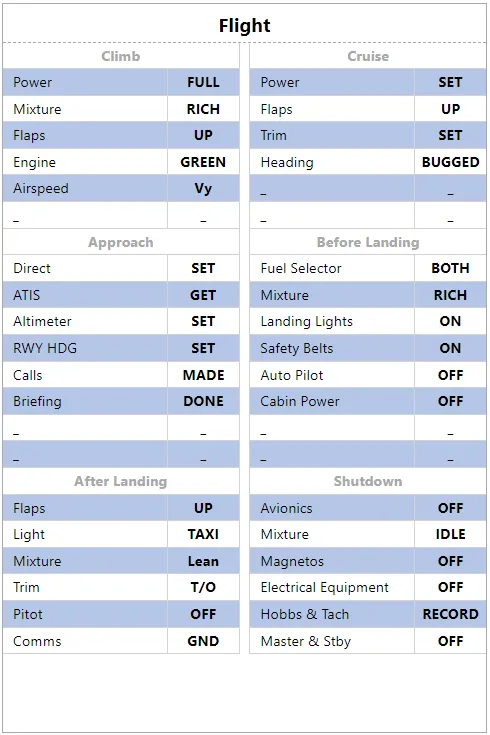
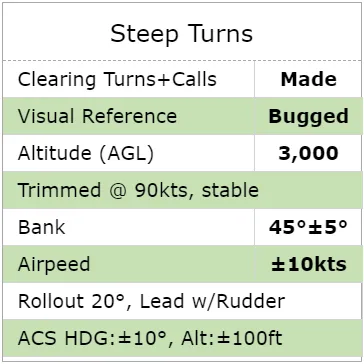
-
Mac special characters of interest
-
± : [Option]+[Shift]+[+]
-
° : [Option]+[Shift]+[*]
-
-
Windows special characters of interest
-
± : [Alt]+[0,1,7,7]
-
° : [Alt]+[0,1,7,6]
-
Have at it https://kneeboard.ga